
Packing Slip Template
A packing slip goes inside the parcel and tells your customer — and your packer — exactly what is in the box. This template pack gives small online shops and wholesalers clean, editable packing slips for everyday orders, gifts without prices, and a separate return request form, plus an Excel version that totals items and weight so nothing is missed.
- Instant download
- Editable Word & Excel
- Print-ready PDF
- 7-day refund
12 files · DOCX, PDF, XLSX and README
Packing Slip Template Pack
Editable packing slips: standard, gift (no prices), a separate return request form and wholesale, plus an Excel packing slip that totals items and weight and shipping label sheets.
- Standard slip (DOCX/PDF)
- Gift slip (DOCX/PDF)
- Return request form (DOCX/PDF)
- + 3 more
$5.00 USD, one-time 12 files including README
- Instant download
- 7-day refund
- Secure checkout by Stripe
7-day money-back guarantee. Full refund within 7 days of purchase, even after you download.
Free sample: Standard Packing Slip (PDF, printable)
Packing Slip Template Pack
Editable packing slips: standard, gift (no prices), a separate return request form and wholesale, plus an Excel packing slip that totals items and weight and shipping label sheets.
- Standard slip (DOCX/PDF)
- Gift slip (DOCX/PDF)
- Return request form (DOCX/PDF)
- Wholesale slip (DOCX/PDF)
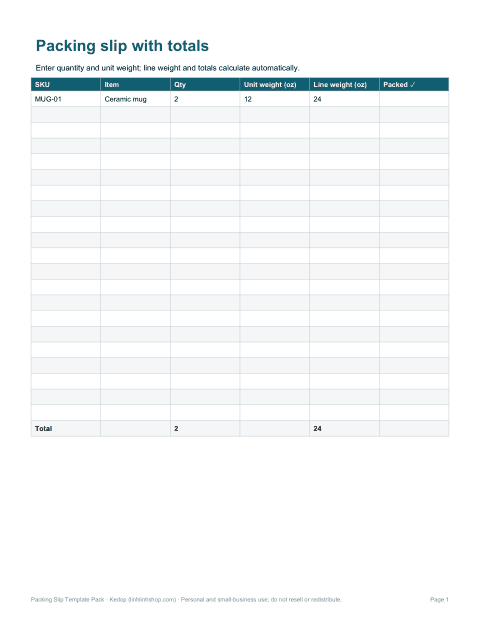
- Excel slip (XLSX)
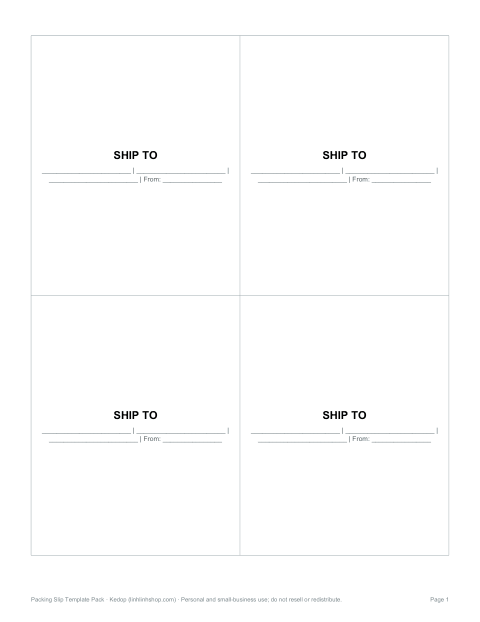
- Shipping labels (PDF)
Formats: DOCX, PDF, XLSX. Instant download after payment (link valid 72 hours, up to 5 downloads). AI-assisted: the templates were drafted with AI help and reviewed and laid out before publishing.
$5.00 USD, one-time 12 files including README
- Instant download
- 7-day refund
- Secure checkout by Stripe
7-day money-back guarantee. Full refund within 7 days of purchase, even after you download.
Free sample: Standard Packing Slip (PDF, printable)
Full refund within 7 days — see the refund policy and license.
Free printables
Single sheets you can print right now, no sign-up. The full pack adds every sheet in one download plus the editable files.
 Printable Packing Slip Template
 Printable Gift Packing Slip
 Printable Packing Slip Returns Form
 Wholesale Packing Slip Template
 Printable Packing Slip with Totals
 Printable Shipping Labels PDF
Packing slips in the pack
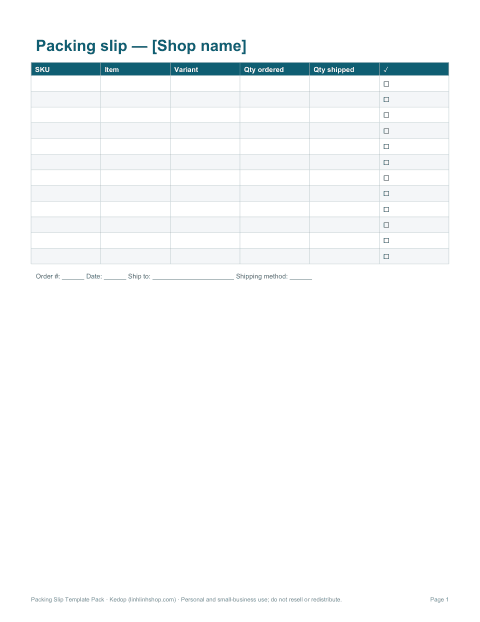
- Standard packing slip — order details, ship-to address, item list with SKU and quantities, and a notes area.
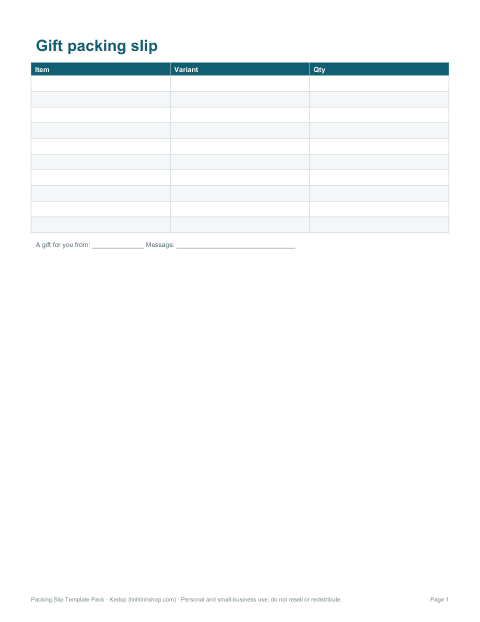
- Gift packing slip — item, variant and quantity fields, with space for a gift message.
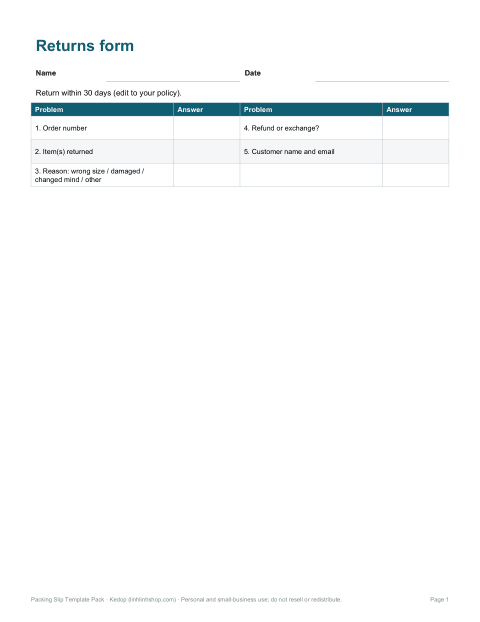
- Return request form — records order, items, reason and requested resolution.
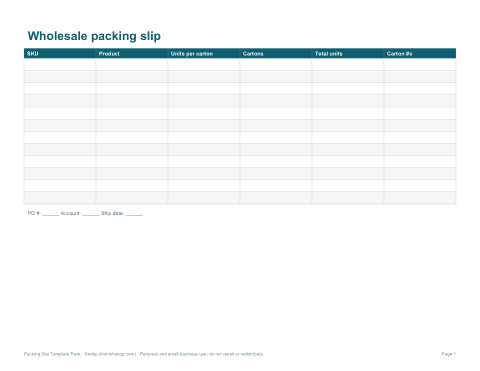
- Wholesale packing slip — cartons, units per carton and PO number.
- Excel packing slip — enter order lines and quantities; item count and total weight calculate automatically.
- Shipping label sheets — 4 labels per page for addresses and handling notes.
What a packing slip should include
| Section | Details |
|---|---|
| Your business | Name, logo, return address, website and support email |
| Order | Order number, order date and shipping method |
| Ship to | Customer name and delivery address |
| Items | SKU, description, variant (size/colour), quantity ordered and quantity shipped |
| Back orders | Items to follow in a later shipment, if any |
| Notes | Thank-you message, care instructions or a discount code |
| Returns | How and by when to return, with a return reason section |
A packing slip is not an invoice: it doesn’t need prices or tax, which is why it works for gifts. Many shops send the invoice by email and put only the packing slip in the box.
Packing slip vs invoice vs shipping label
| Document | Purpose | Where it goes |
|---|---|---|
| Packing slip | Lists what is in the parcel | Inside the box |
| Invoice | Requests or confirms payment | Email or inside the box |
| Shipping label | Address and carrier barcode | Outside of the box |
| Commercial invoice | Customs declaration for international shipments | Attached outside, as the carrier requires |
Packing workflow using the slip
- Print the packing slip when the order comes in.
- Pick each item and tick the “shipped” column as it goes in the box.
- Note anything out of stock as back-ordered.
- Check the item count against the slip before sealing.
- Place the slip on top of the items so it is the first thing the customer sees.
- File a copy or scan it with the order number.
Ticking items off as they are packed catches most mistakes before they reach the customer — a missing item costs far more in time and goodwill than the few seconds it takes.
Split shipments and back orders
When an order ships in more than one parcel, give each box its own packing slip marked “1 of 2”, “2 of 2”, and list which items are still to come. Customers worry less about missing items when the slip says clearly what is back-ordered and roughly when it will follow.
Adding a personal touch
Small shops can stand out with a handwritten thank-you line, care instructions for the product, a note about the maker or a code for a discount on the next order. Keep it short and on brand; the templates have a message box you can edit or leave blank.
Formats and editing
Word templates are fully editable — add your logo and brand colours. The spreadsheet is designed for Microsoft Excel. PDFs are printable and do not calculate. Print on US Letter or use fit-to-page for A4.
AI-assisted content
Templates were drafted with AI assistance and reviewed before publishing. Check your carrier’s requirements for international paperwork.
Frequently asked questions
What is a packing slip?
A document inside the parcel listing the items shipped.
Does a packing slip show prices?
It can, but it doesn’t have to — the gift version leaves prices out.
Is there a returns form?
Yes, the pack includes a separate return request form.
Can I add my logo?
Yes, the Word and Excel templates are editable.
What paper size is it?
US Letter, and it fits A4; use fit-to-page for A4.
Is this a subscription?
No, it is a one-time download.